


The Skyblock Economy
On Skyblock, everything revolves around Coins as the central currency. There is a demand for a wide variety of resources, as well as numerous collectibles and collections. Those who trade cleverly and interact with other players can benefit greatly.
Earning Coins at the Island Market
The fastest and most reliable way to earn Coins is by serving the traders at your Island Market.

However, you can also benefit from the Island Markets of other players. Since every player has their own Island Market with different requirements, a diverse and steady demand for resources of all kinds is created. If you possess an abundance of resources that are not currently in demand at your own market, you can exchange or trade them profitably with other players. Keeping an eye on the needs of other players can significantly increase your profit.
Trade Stations
A large part of the trade on Skyblock takes place directly on the islands. Players can set up trade stations and trade terminals there to buy or sell items. This is particularly helpful for quickly compensating for shortages at the Island Market. Furthermore, it is worthwhile to visit other islands to find good deals.
A trade station offers the capacity of a double chest. The owner sets the prices and quantities themselves and can determine whether items are sold, purchased, or both.
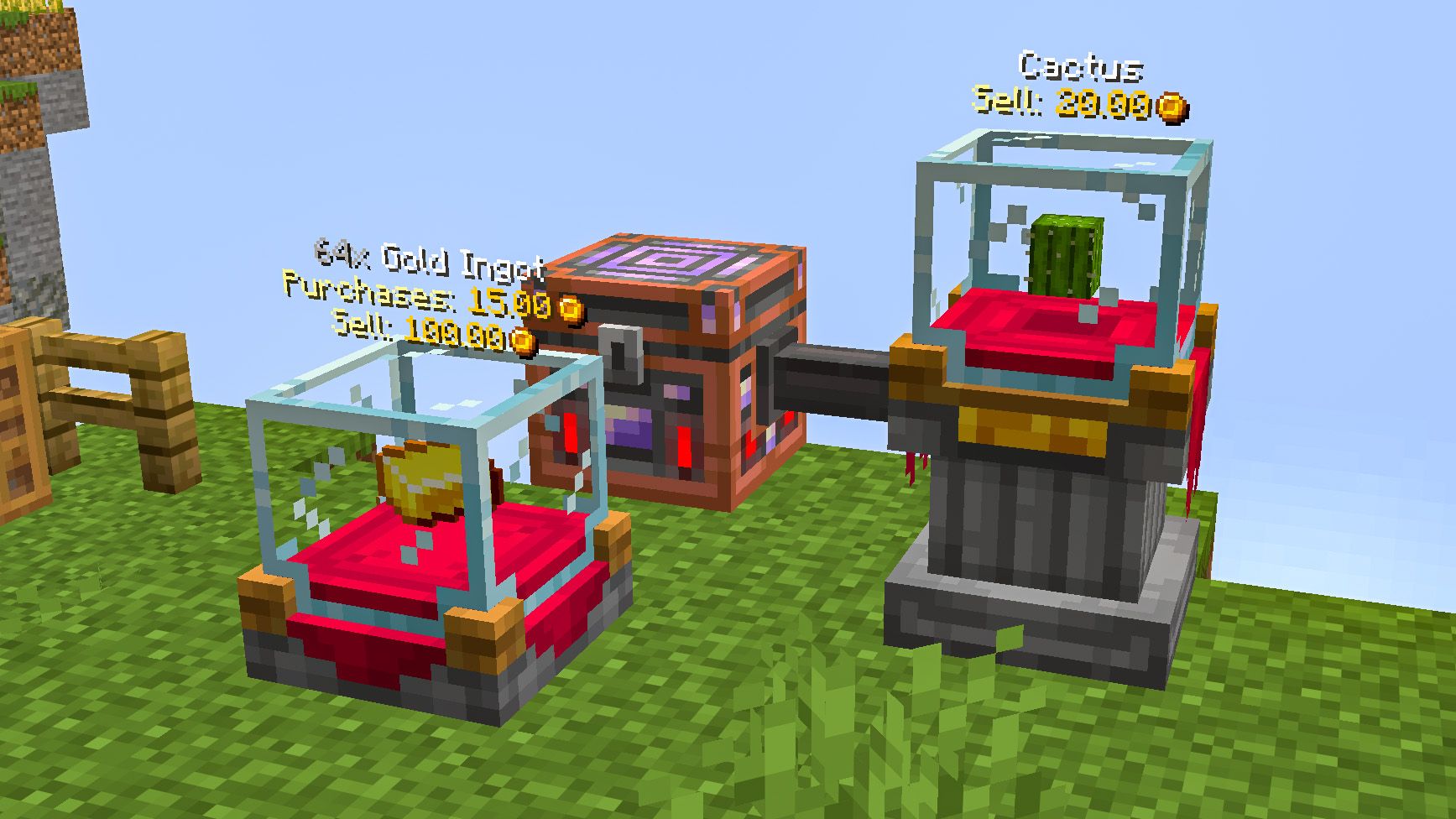
In addition to the trade stations, there are also the more technically advanced Trade Terminals. These are larger and can be filled directly via hoppers and hopper lines. This allows items to be offered for sale automatically or purchased items to be funneled directly into a storage system. This makes trading in larger quantities possible without any issues.
Auction House
At Arthur Auctions' Auction House, mostly rare and valuable items are traded. When listing an item, you can set a starting price, a duration, and an optional fixed price at which it can be purchased immediately. Other players can place bids and outbid each other within the configured timeframe. Once the auction expires, the item is automatically sold to the highest bidder.
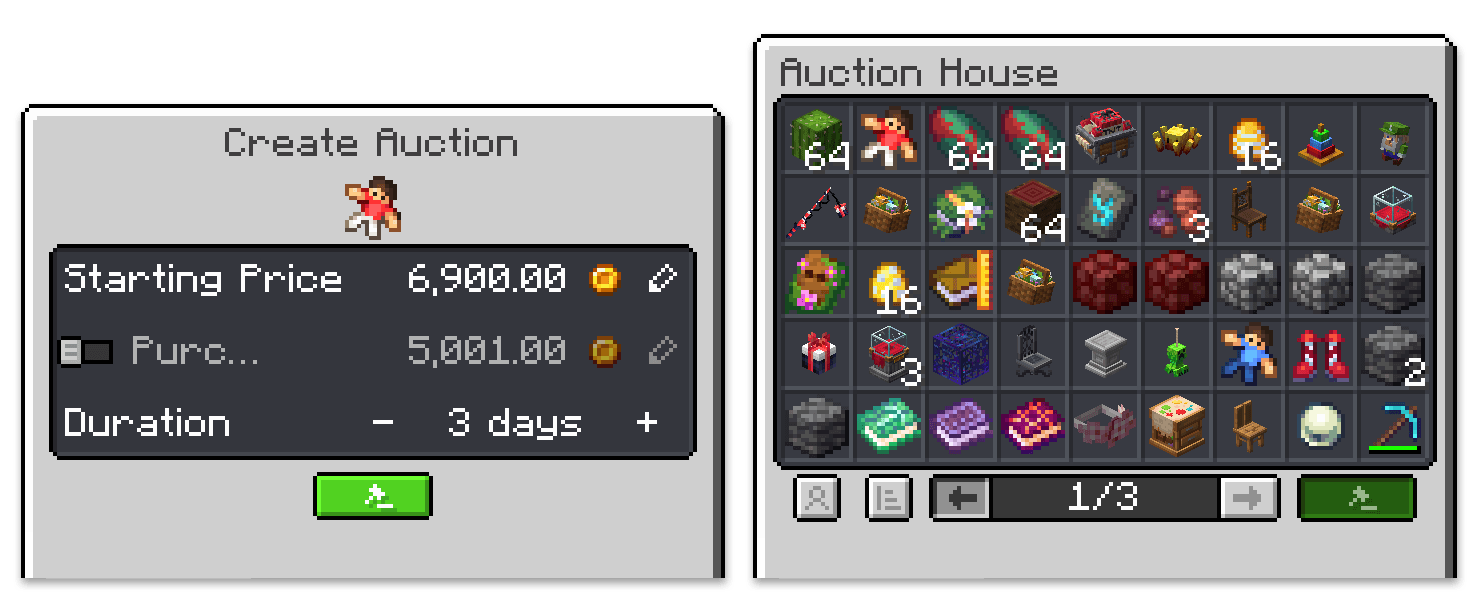
The Auction House can also help with price evaluation. To do this, click on an item in an ongoing auction or hold it in your hand and use /ah find to find past auctions of the same or similar items. This allows you to see how many Coins items were sold for and better estimate their approximate value.
Direct Trading
For direct trading with other players, /pay and /trade can be used. With /pay, any amount of Coins can be transferred to another player. However, a significantly safer trade is possible with /trade. In this trading interface, items and Coins can be exchanged directly. Both parties see the trade in advance and must confirm it, thus preventing fraud.
To find other players for a trade or to draw attention to your own offers, the trade chat can be used with the prefix #h.
Shopping in the Village
Besides trading with other players, you can also buy and sell items and building materials at fixed prices without limit from the traders in the village.
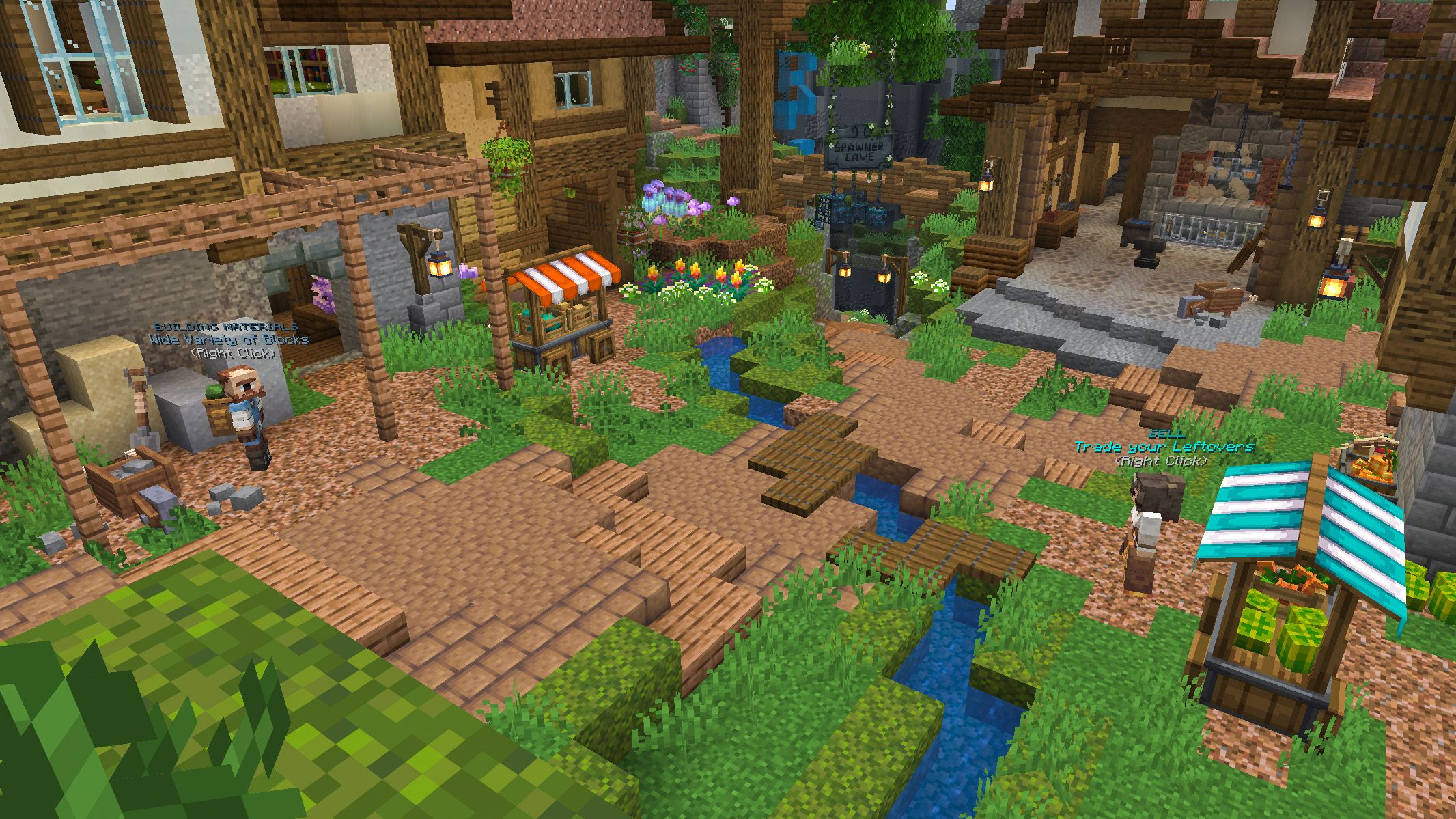
Bruno Bricks
Here you can get a selection of basic building blocks such as dirt and sand to expand and beautify your island.
Mike Mechanics
Sells everything for automation and the expansion of your farms as well as redstone circuits. This includes pistons, various hoppers, and hopper pipes.
Billy Barns
Billy supports you in animal breeding. In addition to basic animal eggs, he also offers candies that you can use to improve the yield of your livestock.
Lilly Trades
At Lilly's, you can sell excess items for a portion of their value. If you can't get rid of resources at the Island Market or to other players, you can exchange them for Coins here.
Transactions
To keep track of your expenses and income, you can view your transaction history with /transactions. All traded and earned Coins are automatically logged there.
Investing
In the later stages of the game, you can earn significant amounts of Coins with the right investments. Skyblock offers a variety of systems and rare items for this purpose. Whether you specialize in beetroot farming or enter the trade of rare furniture, strategic trading pays off.
Which area interests you the most?

About Cytooxien
Since 2011, our dedicated team has been passionately working to create a unique Minecraft Multiplayer experience – always on the latest Minecraft version and with ❤️ for the game.


Partner & Friends


